


HD Camera for Android
4.617.82K Reviews
App Specs
- Version
- 6.9.7.0
- Updated On
- License
- Free
- Downloads
- 100,000,000+
- Developer
- Mobile_V5
- Categories
- Photography
- Platform
- Android
Screenshots
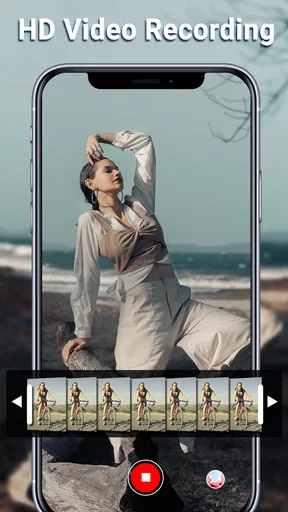
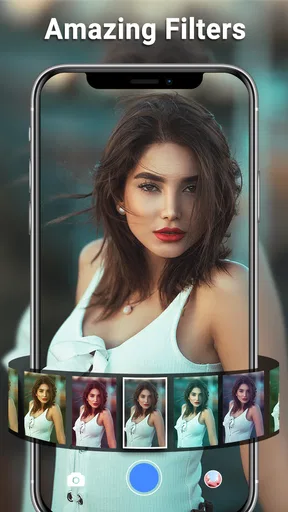
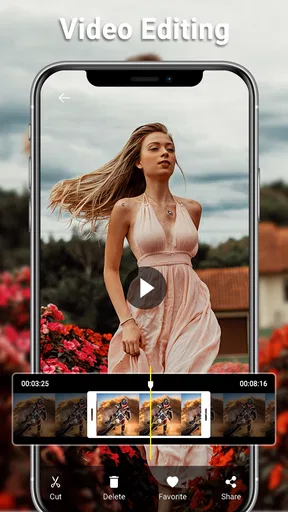
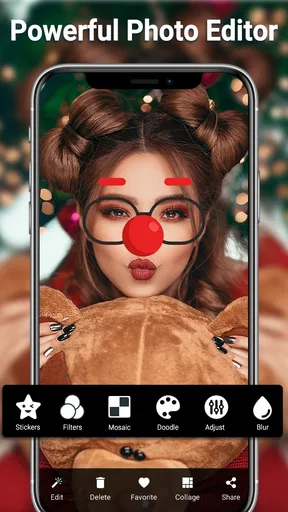
 Analysis by AppCompare
I judge a camera app less by its first impressive screen than by whether I still reach for it after the novelty wears off. HD Camera is an Android photography app from Mobile_V5, and its appeal is easy to understand: it puts everyday shooting tools in one place without asking me to turn taking a quick picture into a project. It is free, rated for Everyone, and has been available since Aug 26, 2014. Its current version is 6.9.7.0, and it runs on Android 6.0 or later.
Why it feels useful in the first week
When I first try a camera app, I want to know whether it helps me get a shot before the moment passes. HD Camera’s simple layout and quick-snap emphasis make it suited to casual use: a meal arriving at a table, a friend laughing, or a street scene that looks different a few seconds later. The main value is not that it turns a phone into dedicated camera hardware; it is that the controls and shooting options are gathered in a photography-focused app.
That distinction matters when comparing it with the camera app already on your phone. The built-in camera is usually the most convenient choice when you need to open the camera from the lock screen or rely on familiar device-specific processing. HD Camera is worth trying when you want a separate place to explore filters, panorama, and camera controls. I would keep both options available rather than assuming one must replace the other.
Its early appeal is strongest for someone who likes taking pictures but does not want to learn a complicated camera interface first. A new user can start with automatic shooting, then experiment with available controls as curiosity grows. Someone who already enjoys adjusting a shot before taking it may find that more engaging than simply relying on the phone’s default camera.
Living with HD Camera
I use a simple test for any camera app: does it help me make a picture I care about, without turning the moment into a chore? Living with HD Camera means looking beyond the first few filter experiments and seeing whether its shooting options fit an everyday routine. I’d pay particular attention to when I reach for it instead of my phone’s built-in camera, because that habit is what determines whether it deserves a place on the home screen.
What gives it value beyond the first few outings
New camera apps can be fun for a day and then disappear into a folder. For me, a useful routine is to reserve HD Camera for situations where I want a little more intention: trying a filter before I take a picture, making a panorama of a view, or adjusting settings when the automatic result does not match what I see. Those are modest jobs, but they give a photography app a reason to stay installed without pretending every snapshot needs special treatment.
A practical tip is to decide what you want from a photo before changing controls. If a quick candid is the priority, keep the process simple and shoot. If a scene is still and you have time, use the preview to assess the result before committing. That small pause can help you notice whether the composition or look is working, instead of taking several near-identical pictures and sorting them out later.
Worth Reading Before You Choose

Baby Panda World Brings Quick Play to Modern Phones, but Its Game Library Feels Busy

ESPN’s Live Game View Makes Following Close Games Easier

QuizzLand Review: A Good Fit for Short Trivia Breaks, Not Every Player

Basketball Stars: Multiplayer Is Fast, but Can It Recover When Matches Go Wrong?

WEBTOON Turns Phone Updates Into a Better Reading Routine

Link to Windows Runs on Shared Habits, Not Social Feeds
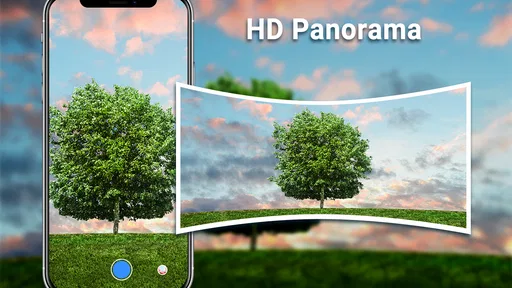
Panorama is most useful when the subject is broad and relatively still, such as a landscape or a long interior. It is less suitable for a moving crowd or a scene where people are crossing the frame, because stitching a wide view is inherently less forgiving of movement. I treat it as a deliberate option rather than a default mode: choose the viewpoint first, then make a steady sweep instead of trying to capture everything at once.
Small workflows that make everyday shooting easier
For a quick family or travel photo, I would first frame the shot and check the preview, then take one ordinary image before experimenting with filters. That gives me a natural-looking version to keep if a stylized treatment feels too strong later. Filters can be a quick way to settle on a mood, but using them before considering the light and framing can make a weak composition look busier rather than better.
For a subject in uneven light, it can help to compare the automatic result with a considered adjustment rather than immediately changing several settings at once. Make one change, check the preview, and decide whether it helped. This is a more reliable way to learn what a control does than moving multiple sliders or settings together and then guessing which one caused the difference. Manual controls are most valuable when you have time to observe their effect.
Think about the finished use, too. A photo meant for a quick message does not need the same attention as one you plan to crop or keep. Before an outing, it is sensible to leave enough room on your phone for pictures and to know where your camera apps save their results. That simple habit prevents the awkward moment of discovering that your preferred camera is not the one you opened, or that a picture is not where you expected when you want to share it.
Where it fits among camera choices
Compared with a basic phone camera, HD Camera’s photography-oriented approach may be appealing when you want to switch between quick shooting, panorama, and filters from a dedicated app. Compared with a more advanced manual camera app, it is better approached as an accessible middle ground than as a specialist toolkit. If your priority is extensive control over every capture detail or a tightly integrated editing workflow, a more specialized option may suit you better.
The built-in camera remains the sensible choice when speed and device integration matter most. A separate camera app earns its place when its particular workflow is easier for you or when you want to explore its available shooting options. I would test HD Camera on the kinds of scenes I actually photograph, not just on a carefully chosen subject, and keep it only if I find myself opening it repeatedly.
Its scale suggests it has found a broad audience: it has over 100 million installs, an average rating of 4.6, and around 715,000 ratings. Those figures are useful context, but they do not tell me whether its controls suit my phone or habits. I would treat the app as a free option to try, then make the decision based on how it behaves during ordinary use.
Maintenance, friction, and the reasons to move on
Long-term value depends partly on whether a camera app adds chores. I prefer to avoid maintaining two overlapping photo workflows if I rarely use the second one. After trying HD Camera, notice whether you remember which app you used for a particular shot and whether its results are easy to find alongside your regular photos. If you are constantly switching back and forth without gaining a useful option, removing the extra step is reasonable.
There is also a trade-off between having more controls and keeping the moment simple. A scene can change while you are choosing settings, and a filter that looks appealing on one subject may not suit the next. I would not use manual adjustments as a ritual for every picture. They make more sense when you can see a specific problem to solve, such as wanting a different look from the automatic result.
As with any camera app, performance and image results can depend on the phone as well as the app. A separate camera interface does not guarantee that every device will produce the same output or feel equally responsive. If switching modes feels slow on your phone, test the app in a low-pressure setting before relying on it for an unrepeatable moment. When timing matters, the camera you can open and use confidently is the better camera.
Storage and battery habits matter most on longer outings. Taking pictures is only one part of a camera session; reviewing images and experimenting with settings can keep you using the screen longer. I would start a day with a charged phone and some free storage, especially if I expect to take many pictures. That is sensible preparation rather than a reason to carry extra equipment for every casual photo.
Who will enjoy it, and who should skip it
I would recommend giving HD Camera a try if you want a straightforward photography app that offers more to explore than a single automatic shutter, but you do not want a steep learning curve. It may suit students documenting a project, travelers who want to try a wide panorama, or anyone who enjoys choosing a filter before sharing a casual picture. The app’s free price makes a personal trial low-commitment, while the Everyone age rating makes its intended audience broad.
I would skip it if the phone’s own camera already gives you the controls and results you need, or if your main goal is sophisticated editing after the picture is taken. A dedicated editor is a better fit when detailed retouching is the priority; a specialist camera app may be better for people who want a deeper manual workflow. There is little value in keeping another app simply because it offers features you never use.
For an everyday example, imagine stopping on the way home because the evening light is falling across a familiar street. I would use the quick shooting approach for a fleeting moment, then try a filter or panorama only if the scene gives me time to compose. If the first result is already good, I would move on rather than turn a pleasant pause into a settings session. That is the sort of recurring use that can make a camera app worthwhile: it supports the moment instead of taking it over.
My lasting impression
After the first-week curiosity fades, the useful question is whether HD Camera makes you more likely to take the pictures you want. Its combination of a simple shooting experience and photography options gives it a plausible role for casual users who like to experiment. It is not automatically a replacement for the phone’s camera, and it does not need to be. A secondary app can still earn space if one or two of its options fit a recurring habit.
My advice is to try it in three different situations: a quick candid, a scene where you want to compare the preview with the final shot, and a broad view suited to panorama. That will tell you more than browsing menus. If the app feels natural and you return to those options, keep it. If you repeatedly reach for the built-in camera instead, there is no need to force a new habit.
Ever found yourself in a moment where you wished you had a professional camera in your pocket? Well, that's where the HD Camera app for Android steps in, transforming your smartphone into a powerhouse of photography tools. I've spent some quality time exploring this app, and I've got all the juicy details for you.
Getting Started with HD Camera
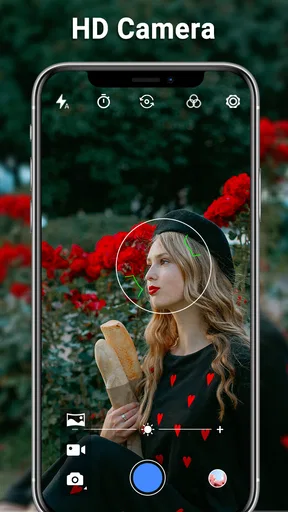
First things first, downloading the HD Camera app is a breeze. Head over to the Play Store, and with a couple of taps, you're ready to roll. Once you fire up the app, you'll notice the clean and intuitive interface. It's like the app developers knew we didn't want to fiddle around with complicated settings when trying to capture a fleeting moment.
Features That Make You Go "Wow!"
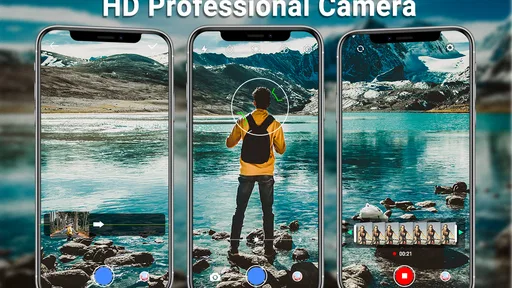
The app is packed with a plethora of features that cater to both amateur photographers and seasoned pros. One of the standout features is the manual control it offers over shutter speed, ISO, and white balance. It’s perfect for those times when the auto mode just doesn’t cut it.
Another feature that caught my eye is the built-in filters and effects. Whether you’re aiming for a vintage vibe or a crisp, modern look, the HD Camera app has you covered. The filters are surprisingly good, and applying them is as simple as a swipe.
Performance and Usability
Now, let’s talk about the app’s performance. I was genuinely impressed with how it handled various lighting conditions. From sunny days to dimly-lit rooms, the app adjusted admirably. The real-time preview is a game-changer; being able to see how your adjustments affect the image before snapping the shot is incredibly convenient.
Usability-wise, the app is straightforward. The menus are logical, and switching between photo, video, and panorama modes happens without a hitch. I appreciate that the developers kept things simple, focusing on delivering a seamless user experience.
Editing on the Fly
One of the perks of using the HD Camera app is the built-in editing suite. After capturing your masterpiece, you can dive into a variety of editing tools right within the app. Cropping, rotating, and tweaking brightness levels are just the beginning. The app allows you to touch up your photos without needing to jump into a separate editing app.
Battery Consumption and Other Considerations
On the technical side, the app is relatively light on battery consumption, which is a relief. No one wants to drain their phone’s battery in the middle of a photoshoot. However, if you’re planning to use high-resolution settings extensively, keeping a power bank handy might be a good idea.
As with any app, it’s not without its quirks. For instance, the app occasionally lagged when switching modes rapidly. It wasn’t a deal-breaker, but it’s something to be aware of if you’re an impatient shutterbug like me.
Final Thoughts
All in all, the HD Camera app is a solid choice for anyone looking to enhance their photography game on Android. It combines a user-friendly interface with powerful features that give you control over your shots. Whether you’re capturing everyday moments or setting up a planned photoshoot, this app is a reliable companion.
So, if you're ready to up your photography game and capture stunning images right from your phone, give the HD Camera app a whirl. Trust me, you won't be disappointed!
Pros
- High-quality photo resolution.
- User-friendly interface.
- Wide range of filters.
- Fast shutter speed.
- Easy sharing options.
Cons
- Contains in-app ads.
- Limited editing features.
- Requires high storage space.
- No cloud backup support.
- Some features need purchase.
FAQs for HD Camera for Android
What features does the HD Camera app offer?
The HD Camera app provides a range of features including high-resolution photo and video capture, various shooting modes like panorama and night mode, real-time filters, and a professional editing suite. Users can also adjust exposure, ISO, and white balance for more control over their images.
Is the HD Camera app user-friendly for beginners?
Yes, the HD Camera app is designed with a user-friendly interface that caters to both beginners and experienced photographers. It offers simple navigation, intuitive controls, and helpful tutorials to guide users through its features, making it accessible for anyone looking to enhance their mobile photography skills.
Does the HD Camera app support video recording?
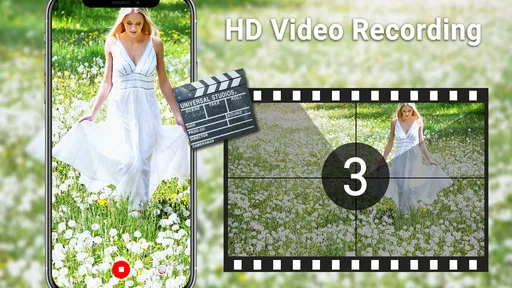
Absolutely, the HD Camera app supports high-quality video recording up to 4K resolution, depending on your device capabilities. It includes features such as slow-motion and time-lapse, along with options to modify frame rates and apply real-time effects, ensuring a comprehensive video capturing experience.
Are there in-app purchases or ads in the HD Camera app?
The HD Camera app is free to download, but it contains ads. Users can opt for in-app purchases to remove advertisements and unlock additional features, such as advanced filters and editing tools. This provides flexibility for users who want to enhance their experience without interruptions.
How does the HD Camera app compare to the default camera on my phone?
The HD Camera app often offers more advanced features and controls compared to the default camera app on most phones. With options for manual adjustments, a variety of filters, and enhanced editing tools, it is ideal for users looking to elevate their photography beyond the capabilities of their standard phone camera.


